English
 Deutsch
English
 Türkçe
 Italiano
 Français
User rights
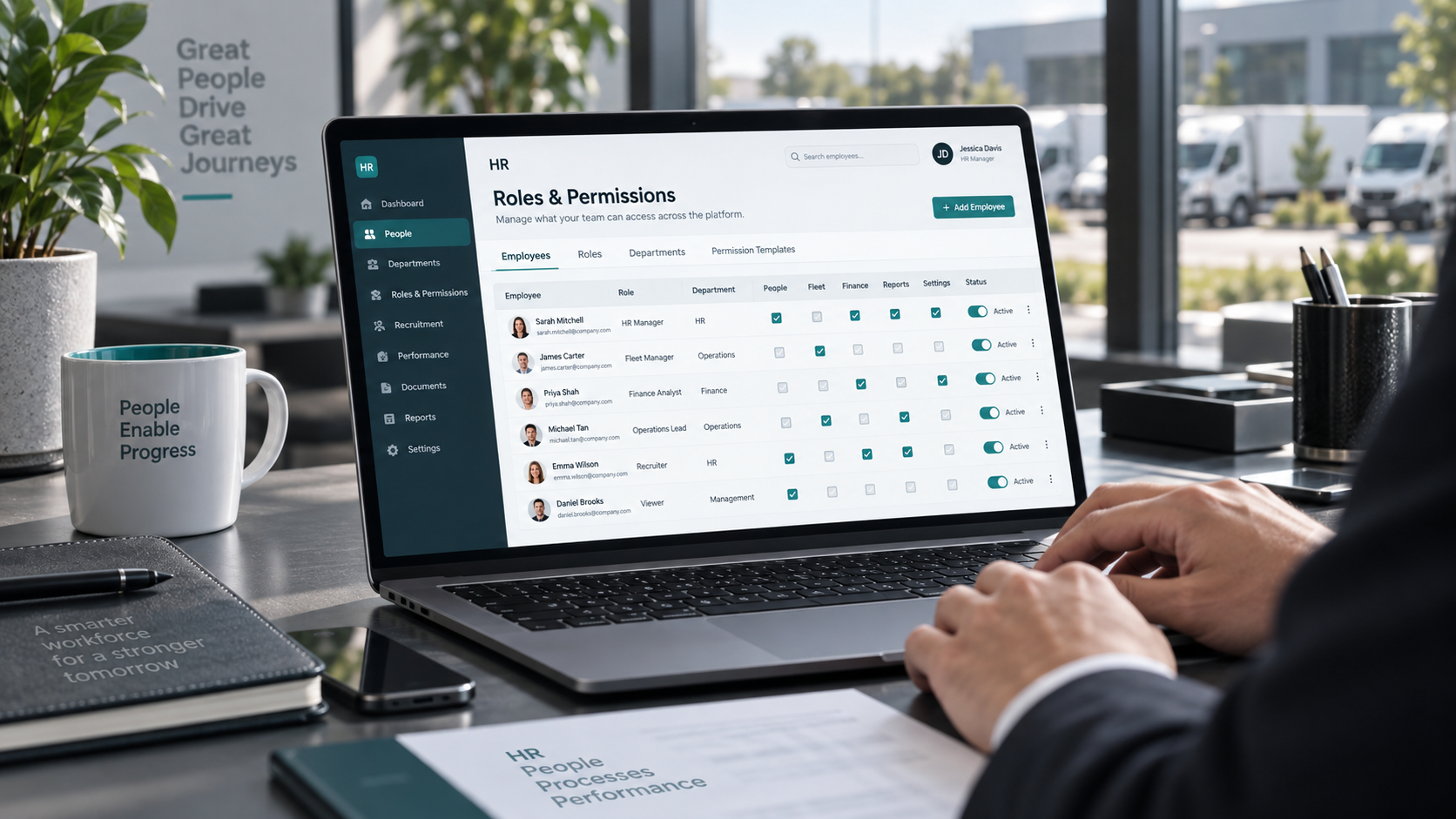
Control exactly who can see, edit, approve, or export data. Doards lets you define access rights for modules, pages, buttons, fields, and records so every team works securely inside the right scope.
Role-based permissions
Create roles for managers, operators, finance, HR, reviewers, or external users and assign only the rights they need.
Page, field, and action visibility
Restrict sensitive buttons, tabs, form fields, exports, or dashboard widgets for specific groups.
Approval and reviewer chains
Combine access rights with review processes so critical actions require explicit approval before they become final.
Safe growth across teams
Support subsidiaries, departments, and temporary access scenarios without rebuilding the whole permission model.
Audit-friendly setup
Keep responsibilities transparent and reduce accidental changes in sensitive areas such as finance, HR, or administration.

Login with verification code
A 6-digit verification code protects the login. Each code works only once and expires after ten minutes, and the stay-logged-in option remembers only the browser you confirmed.
One login for several companies
Users who work for more than one company sign in once and choose the company they want to work in. Rights are set separately for every company.
Role-based permissions
Create roles for managers, operators, finance, HR, reviewers, or external users and assign only the rights they need.
Page, field, and action visibility
Restrict sensitive buttons, tabs, form fields, exports, or dashboard widgets for specific groups.
Approval and reviewer chains
Combine access rights with review processes so critical actions require explicit approval before they become final.
Safe growth across teams
Support subsidiaries, departments, and temporary access scenarios without rebuilding the whole permission model.
Audit-friendly setup
Keep responsibilities transparent and reduce accidental changes in sensitive areas such as finance, HR, or administration.
Login with verification code
A 6-digit verification code protects the login. Each code works only once and expires after ten minutes, and the stay-logged-in option remembers only the browser you confirmed.
One login for several companies
Users who work for more than one company sign in once and choose the company they want to work in. Rights are set separately for every company.